30 June 2026
Best POS System for Restaurants and Cafes in Egypt
This page presents “Best POS System for Restaurants and Cafes in Egypt | Al Shohab” and explains Best POS System for Restaurants and Cafes in Egypt. The summary defines the page-specific scope and its practical context. A point-of-sale (POS) system is at the heart of the daily operation of any restaurant or cafe: orders, bills, the kitchen, inventory and reports all pass through it. Choosing the right system speeds up service, reduces errors and gives you a clear view of your profits; choosing the wrong one turns it into a daily burden that confuses cashiers at peak times and wastes kitchen ingredients. There is no single system that is “best for everyone.” The right system is the one that best suits the nature and size of your restaurant and your expansion plans. In this practical guide, we explain the essential features to look for, the criteria for comparing systems, and the common mistakes that cost restaurant and cafe owners in Egypt time and money. The goal is to give you clear criteria for evaluating any system offered to you, rather than relying on advertising or the opinion of another restaurant owner whose operation may be completely different from yours.
What Distinguishes a Restaurant POS System from Other Systems?
Many restaurant owners buy a general cashier system designed for stores, only to discover that it does not suit the way they work. A restaurant system is built around tables and the kitchen: opening a bill for each table, sending orders directly to the kitchen, recording add-ons and notes, splitting bills, and handling different types of orders at the same time. A POS system for retail stores instead revolves around barcodes, cashier speed and inventory movement at the point of sale. Identifying the correct type from the outset prevents you from struggling every day with a system that works against your operating model. To understand the fundamentals before comparing solutions, see the POS System page.
Essential Features to Look For
Before comparing systems, identify the features you genuinely need based on the size of your restaurant and its service model. These are the most important capabilities that make a real difference in restaurant and cafe operations.
1. Table and Dining-Area Management
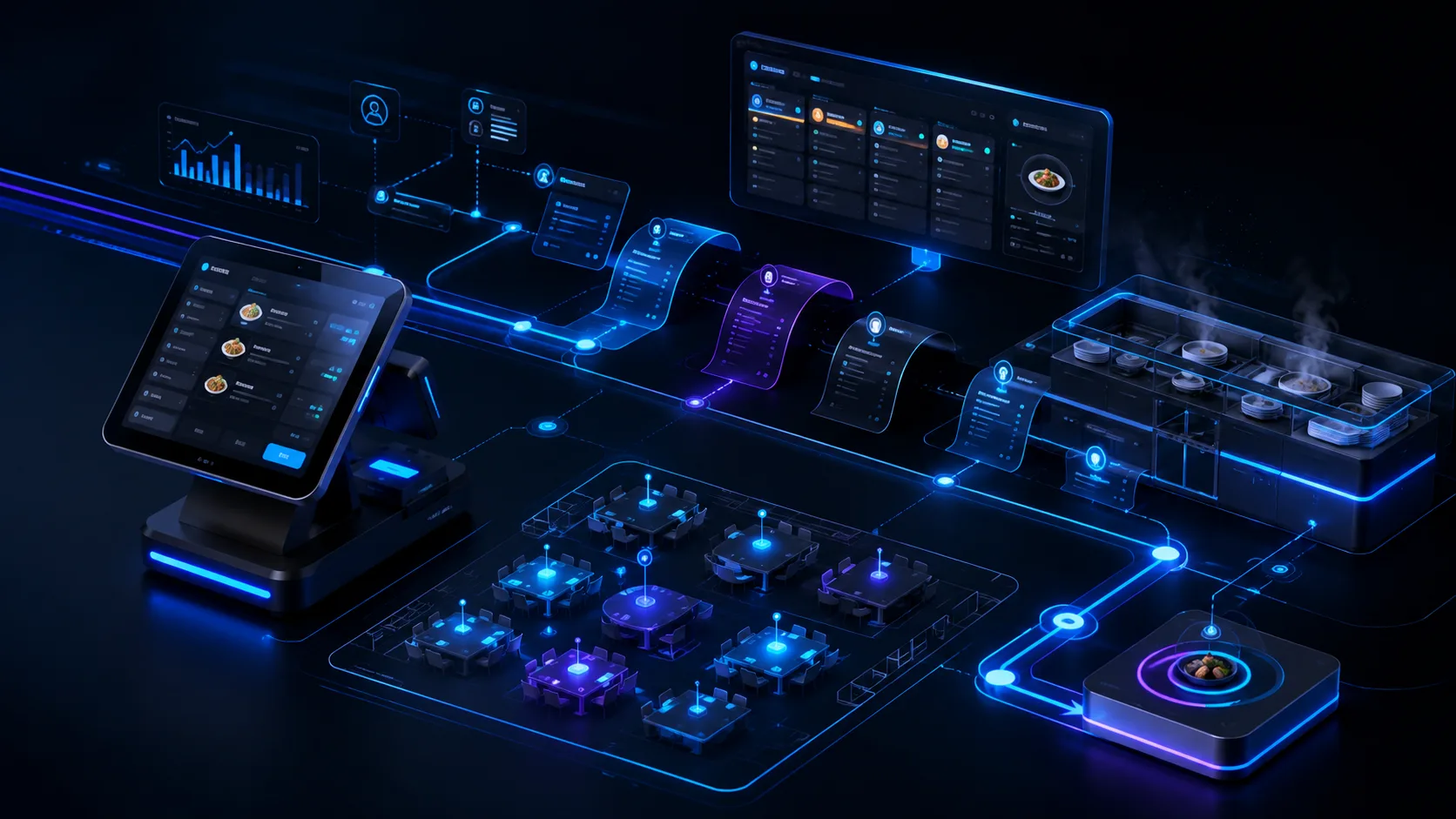
Arrange tables on a dining-area map, open and close bills, move an order from one table to another, merge tables or split a bill among guests, and associate each server with their orders. These fundamentals organize dining-area service and prevent bills from becoming mixed up during busy periods. They are the main features that distinguish a restaurant system.
2. Kitchen Display System (KDS)
A Kitchen Display System receives orders electronically from the cashier and digital menu instead of using paper tickets. It sorts them by order time and type, such as dine-in or delivery, and clearly displays notes and add-ons. The result is fewer preparation errors, faster service and better coordination between the dining area and the kitchen. High-volume restaurants benefit greatly from it, while a small operation may begin with printed kitchen tickets and add the display later.
3. Menu, Add-ons and Options
A flexible menu engine should support categories, items, sizes such as small, medium and large, paid and free add-ons, options such as cooking level or removing an ingredient, as well as promotions and combos. The easier it is to build and update the menu, the faster you can change prices and seasonal items without waiting for technical support.
4. Order Types: Dine-in, Takeaway and Delivery
The system should distinguish between dine-in, takeaway and delivery orders, while managing customer details, addresses, delivery zones and fees, and assigning drivers to orders. Bringing ordering channels, such as delivery apps or online ordering, into one place reduces errors and prevents the same order from being entered twice in separate systems.
5. Inventory and Recipe Integration
The feature that turns the system from a “cashier” into a cost-control tool is linking menu items to their ingredients through recipes or bills of materials. The system then deducts inventory automatically with every order and provides real-time balances, low-stock alerts, and reports on waste and the most profitable items. If cost control is a priority, review the details of the inventory management system and how it connects to the point of sale.
6. Multiple Branches and Permissions
If you plan to expand, choose a system that manages several branches from one central dashboard, with menus and prices that can be unified or customized by branch, permissions for each employee and manager, and separate as well as consolidated inventory and reports. Choosing a system that does not support multiple branches means replacing the entire system when you open a second location.
7. Reports and Shift Management
Real-time sales reports by day, branch, item and cashier; shift closing and cash reconciliation; tracking discounts and cancellations to detect misuse; and reports on best-selling items. These reports turn restaurant figures into decisions: what to keep on the menu, when to add staff, and where profit is leaking.
Criteria for Comparing Systems
After identifying the features you need, compare shortlisted systems using these practical criteria instead of relying only on the feature list in an advertisement:
- Ease of use and the time required to train cashiers, because a complicated system slows service during peak periods.
- Performance under pressure: can it handle dozens of simultaneous orders without freezing?
- Offline operation and resuming synchronization when the connection returns.
- Hardware compatibility, including cashier terminals, kitchen printers and customer displays, and the cost of that hardware.
- Integration with accounting, delivery applications, payment gateways and a table and appointment booking system for cafes that rely on advance reservations.
- The quality and response time of technical support during outages, and the language in which support is provided.
- The licensing model and total cost, including hardware, subscriptions, users and branches, without surprises.
- Ownership of your data and the ease of exporting it if you decide to change systems later.
Common Mistakes When Choosing a Restaurant POS System
These mistakes occur frequently and cost restaurant and cafe owners money and disruption that could have been avoided:
- Choosing on price alone without testing the system in a real peak-hour scenario.
- Buying a general retail system that does not support tables, kitchens and add-ons.
- Failing to plan for offline operation, so sales stop when the connection goes down.
- Ignoring ease of training, causing the team to resist the system and return to paper.
- Not linking inventory to recipes, leaving waste and costs uncontrolled.
- Choosing a system that does not support multiple branches despite plans to expand soon.
- Overlooking the quality of technical support and response time before signing a contract.
How Do You Make the Right Decision for Your Restaurant?
Start by writing down your actual needs: the service model, whether dine-in, takeaway or delivery; peak order volume; the current and planned number of branches; and how strongly you need inventory and accounting integration. Then ask for a live demonstration of every shortlisted system and test it using a real scenario from your restaurant: open tables, send orders to the kitchen, apply add-ons and discounts, close a shift and review the reports. The system that makes these tasks easiest in the fewest steps is the right one for you, not the system with the longest feature list on paper. Test technical support before signing as well by asking a genuine question and measuring the response time. Good support when the cashier stops working during the evening rush is no less important than the features themselves. For a deeper look at restaurant-specific solutions, see the POS system for restaurants.
Conclusion
The “best” POS system for restaurants and cafes in Egypt is the one that best fits the nature of your restaurant, not the one with the longest feature list. Look for table management, a kitchen display, a flexible menu, multiple order types, inventory integration, multi-branch support and accurate reporting. Compare systems by performance, support and total cost, avoid the common mistakes, and test before deciding. If you would like help preparing a point-of-sale system for your restaurant or connecting it to inventory and accounting, contact us through the Contact page so we can identify the right solution together.
Frequently Asked Questions
Quick answers to the questions most often asked when choosing a POS system for restaurants and cafes.
Related Articles

10 June 2026
How Is Artificial Intelligence Changing Business Management?
How artificial intelligence helps companies in Egypt accelerate decisions and automate daily tasks.

18 June 2026
Business Process Automation: Where Do You Start?
A practical guide to starting business-process automation and connecting your systems step by step without unnecessary complexity. This guidance is presented here in the context of Best POS System for Restaurants and Cafes in Egypt.

22 June 2026
Custom or Ready-Made System (CRM/ERP): How Do You Choose?
When to choose a ready-made CRM or ERP and when custom development is more suitable for your company.
Take Your Business to the Next
Level with Al Shohab Al Aaliah
Contact us to discuss your software project and identify the right solution for your company.
Quick Summary
The best POS system for a restaurant or cafe is the one that speeds up ordering and payment, connects the dining area with the kitchen and delivery operation, and gives you accurate sales and inventory reports that reveal the most profitable items and waste.
Related Services
The Practical Next Step
Identify the number of branches and points of sale you operate, and let us prepare a system that connects orders, inventory and reporting. Contact Us or email us at INFO@alshohab-eg.com.
Related Al Shohab Services Across Egypt
If “the best POS system for restaurants and cafes in Egypt” is relevant to your business, Al Shohab Al Aaliah provides companies across Egypt with practical solutions in software development, digital marketing, business automation and ready-made CRM, ERP, POS and HR systems. To discuss your situation, contact us or explore our services.