Al Shohab systems · for companies in Egypt

Law Office and Case Management Software in Egypt

Al Shohab Al Aaliah provides law offices with case and hearing management software that brings the case register, hearings, procedures, enforcement requests, powers of attorney and fees together on one daily dashboard for every lawyer and office manager.

  • Cases and hearings
  • Procedures and powers of attorney
  • Court register
  • Client finance
  • Hearing reminders
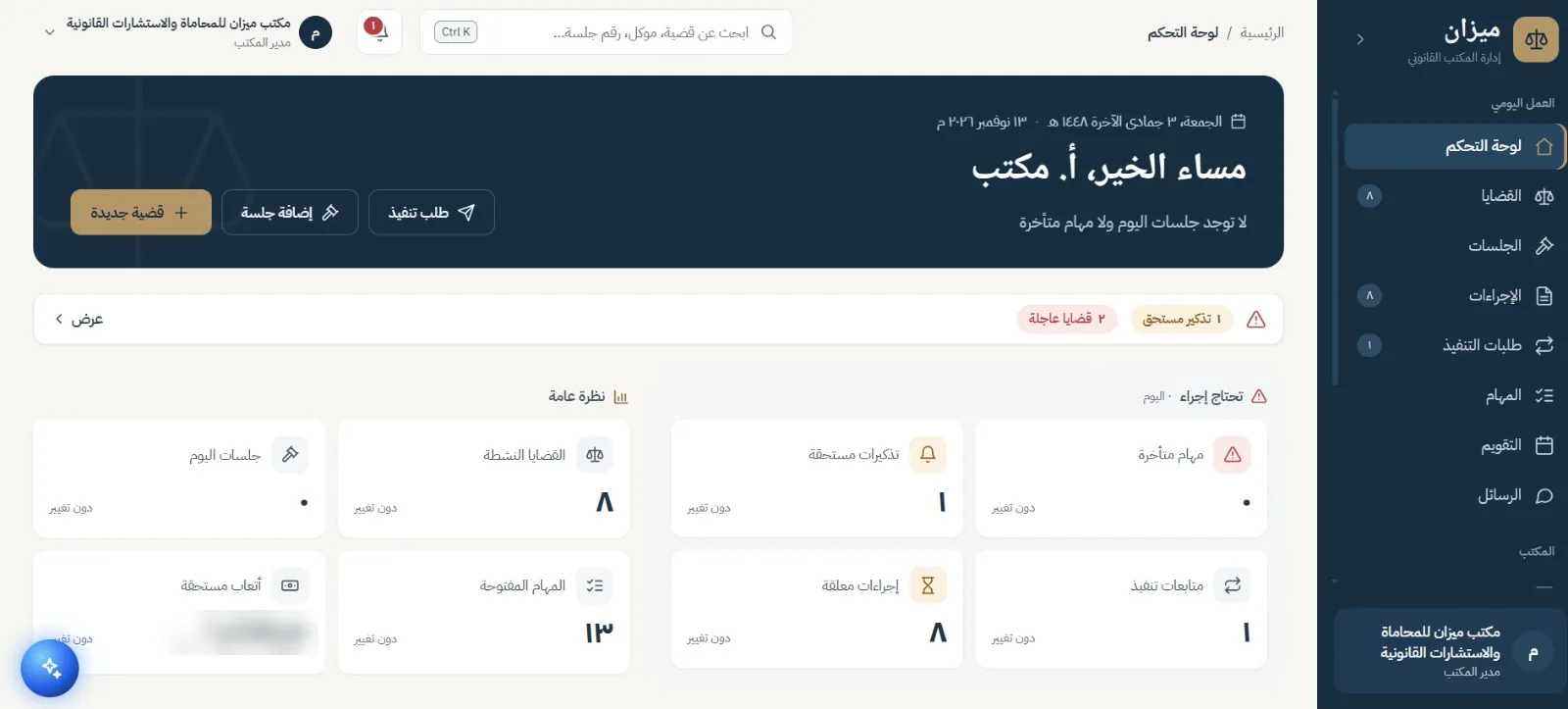
Law office management dashboard: today's hearings, active cases, reminders and overdue tasks

Short answer

Every morning a law office needs to know the upcoming hearings, who is responsible for each one and what each client owes. This software brings together cases, hearings, procedures, powers of attorney, tasks and finance, and reminds clients of their hearing dates by SMS or WhatsApp.

Included in all our systems

Features shared by every Al Shohab system

Every one of our systems comes with three core tools that work inside the system itself, alongside each product's own modules. They work with the law office and case management software under the same user permissions.

Official WhatsApp Business integration (WhatsApp Business API)

Receive and reply to conversations on your company's official number from inside the system, assign conversations to staff and filter by "Assigned to me" and "Unassigned"; each employee sees only the conversations they are allowed to see. The integration requires registering your company number on Meta's WhatsApp Business platform, and messaging follows Meta's rules, such as the 24-hour customer service window and approved message templates.
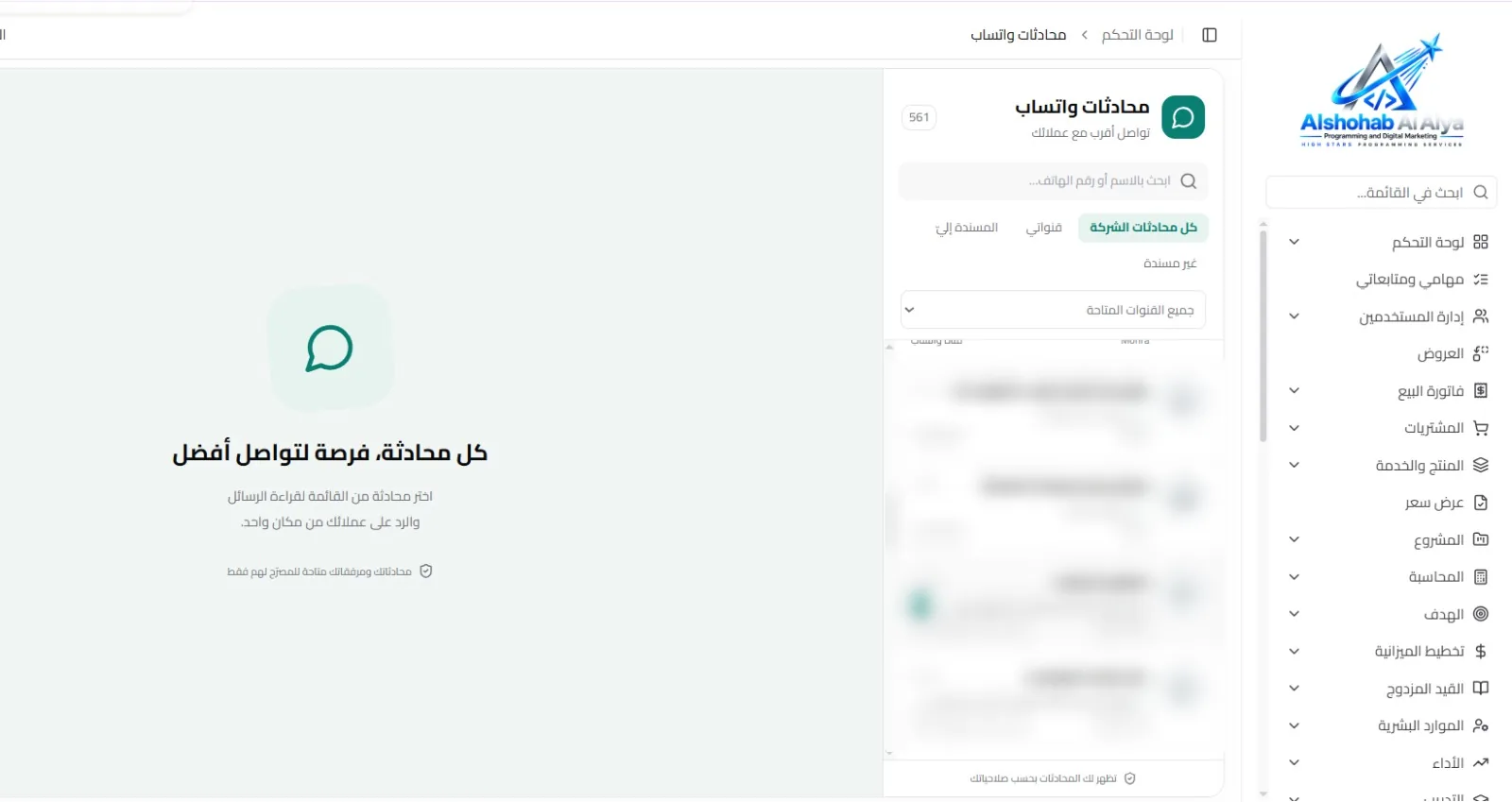
WhatsApp inbox inside the system with customer names and message texts hiddenWhatsApp inbox: the conversation list is hidden to protect customer data
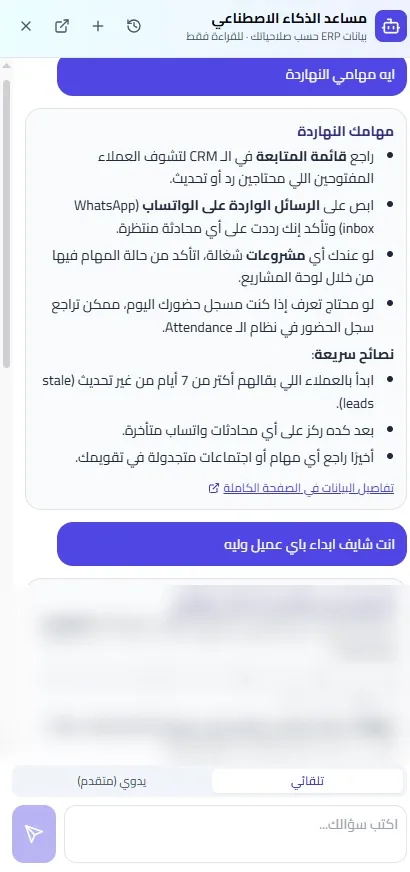
An AI assistant that carries out requests and produces reports

Type your request in Arabic and the assistant shows summaries and reports from system data and carries out the supported actions inside it, always within the user's permissions, so an employee only sees the data they are allowed to see.

The AI assistant answers the question "What are my tasks today?" with a list of tasks from the systemThe assistant summarises today's tasks from system data according to the user's permissions (customer data hidden)

An employee time-tracking app

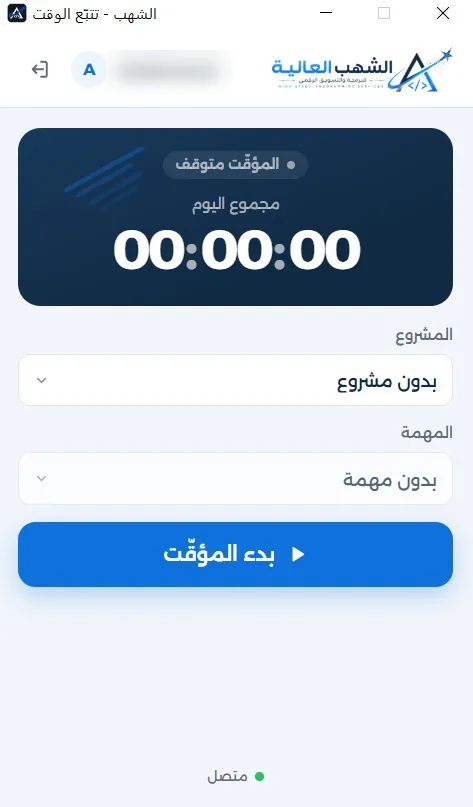
A desktop app where the employee starts a timer and links working time to the project and task, so actual working hours appear in the system for tracking productivity and attendance.

Time-tracking app: today's timer, project and task selection, and the start-timer buttonTime-tracking app: choose the project and task, then start the timer (employee name hidden)

Real system screenshots

Inside the law office and case management software

Click any image to view it full size and move between screens.

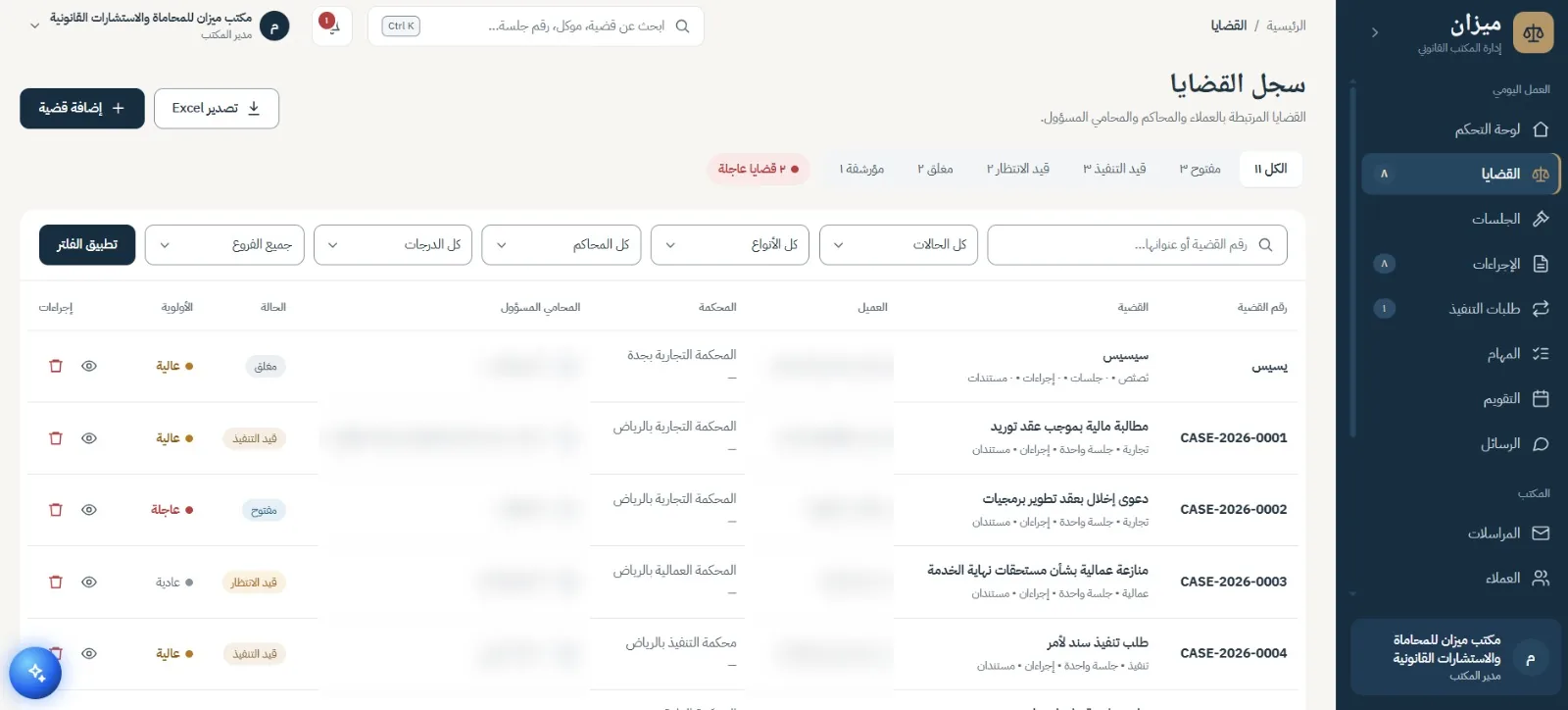
Case register: case number, client, court, responsible lawyer, status and priority
Case register with status, type and court filters (client and lawyer names hidden) — demo data
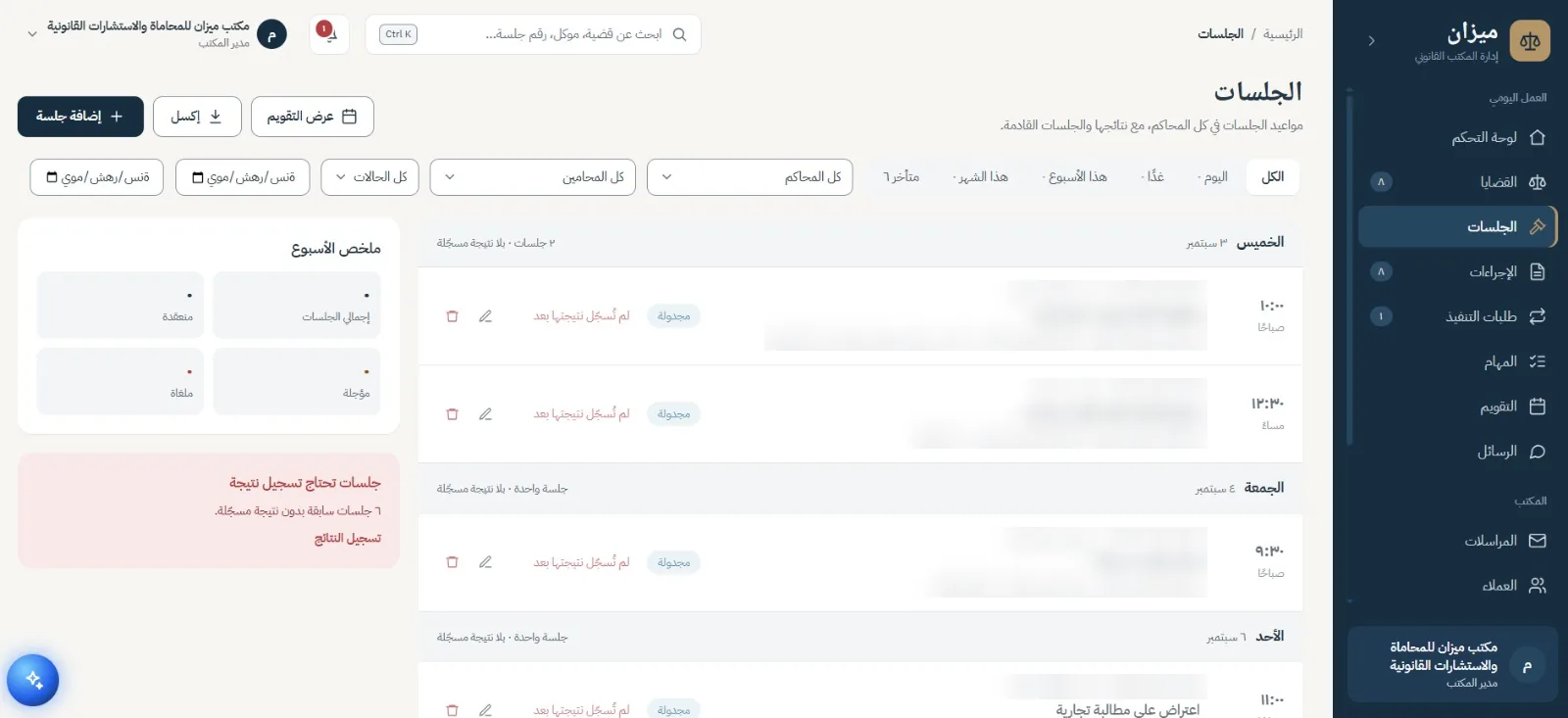
Hearings screen: hearing dates by day, the weekly summary and hearings that need an outcome recorded
Upcoming hearings and the weekly summary (party details hidden) — demo data
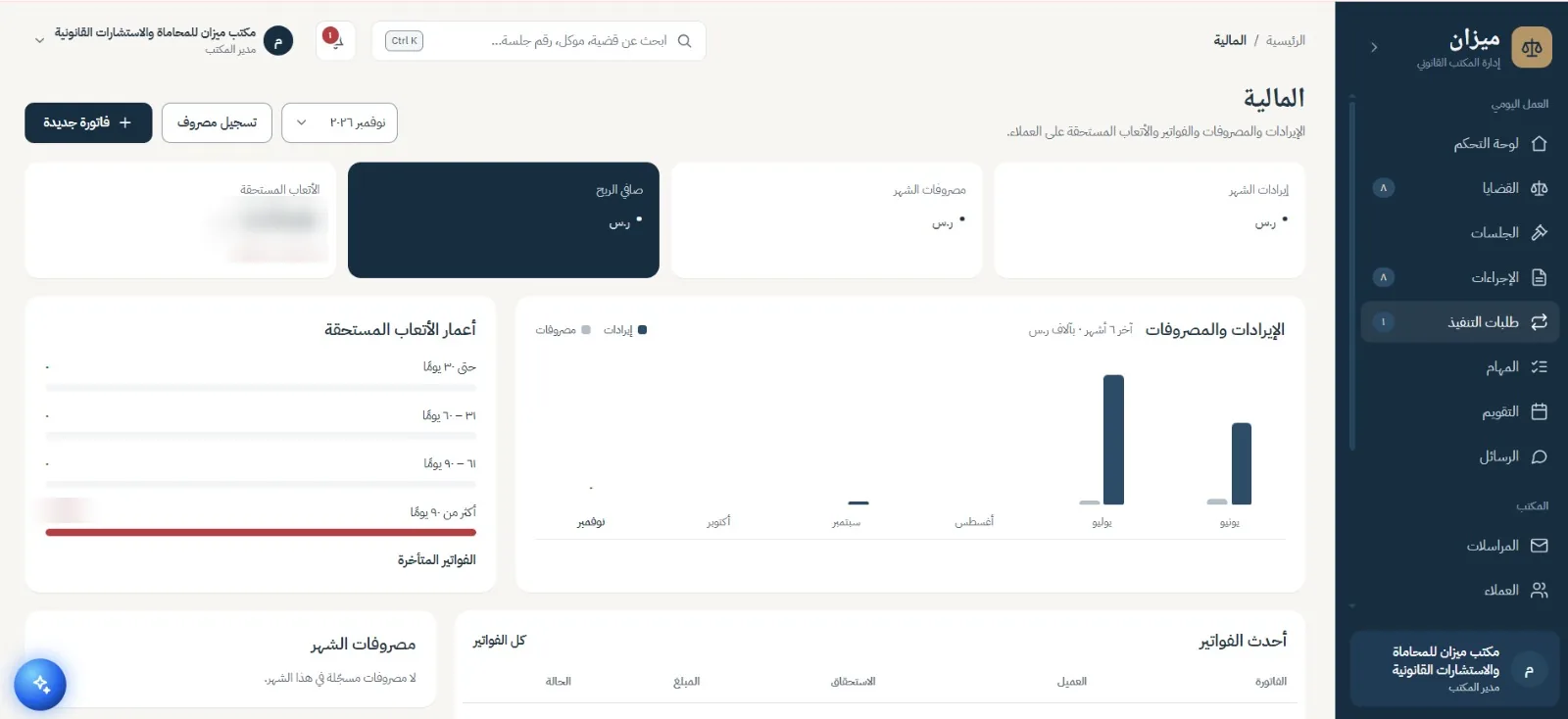
Law office finance screen: revenue, expenses, outstanding fees and their ageing
Finance: outstanding fees and their ageing, revenue and expenses (amounts hidden) — demo data
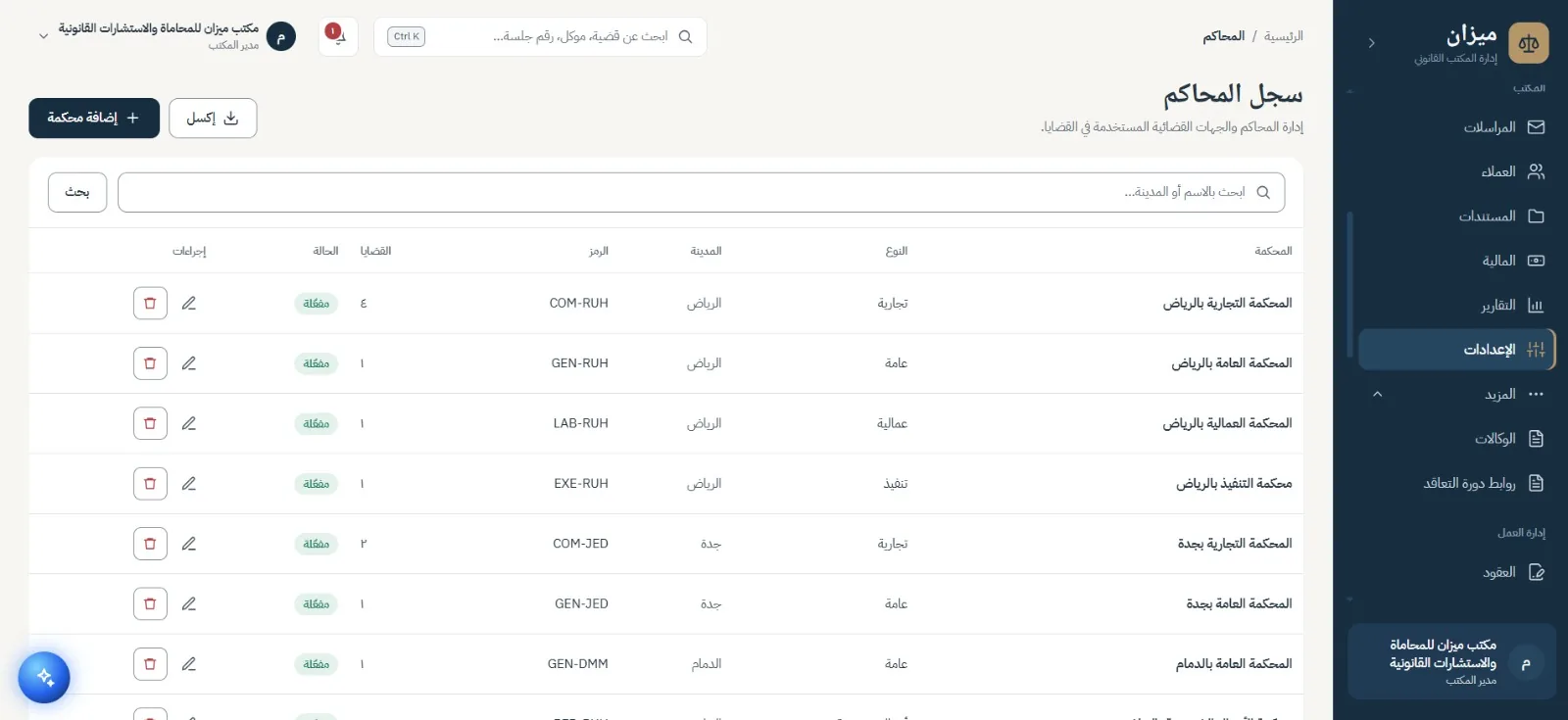
Court register in the law office software: court, type, city and code, with an add-court button
The court register is managed from the settings by adding and editing courts (the courts shown are demo data)
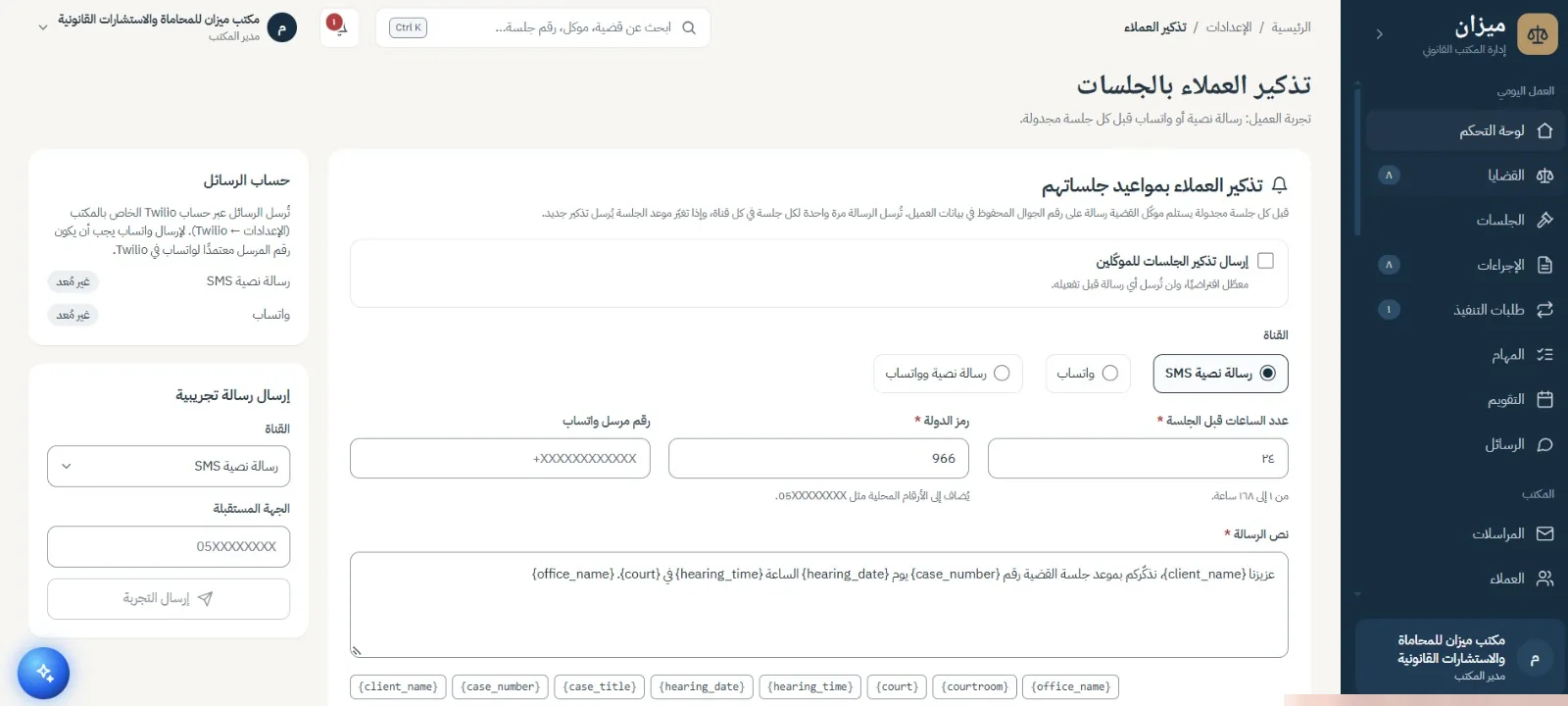
Setting up client hearing reminders by SMS or WhatsApp, and the message template
Client hearing reminders: channel, timing and message text — demo data

The screenshots come from a demo copy that includes Saudi courts, the 966 country code and amounts in riyals, with client and lawyer names hidden. Courts are added from the court register, the country code in reminders can be changed, and the currency is reviewed with you before go-live.

Who is the law office and case management software for?

For law firms and legal consultancies that follow a large number of cases, hearings and deadlines.

Who benefits from it

  • Solo law offices and firms with several lawyers and branches
  • Office managers who follow the workload of each lawyer
  • In-house legal departments in companies
  • Offices that want to remind clients of their hearing dates

What we need before starting

  • The current case register (number, client, court, responsible lawyer)
  • Upcoming hearing dates
  • The courts you deal with, to add them to the court register
  • A messaging account and an approved sender number, if reminders are in scope
  • Lawyers, branches and permissions

What it includes

Daily work dashboard

Today's hearings, active cases, due reminders, overdue tasks, pending procedures and enforcement follow-ups.

Case register

Case number, client, court, lawyer, status and priority, with filters by type, level and branch, and Excel export.

Hearings

Hearing dates across all courts, a calendar view, recording outcomes and an alert for hearings that still need an outcome recorded.

Procedures and enforcement requests

A register of procedures and enforcement requests with status follow-up.

Powers of attorney and courts

The power-of-attorney register and a court register configured to your office's data.

Finance

Revenue, expenses, sales invoices, client payments and the ageing of outstanding fees.

Tasks, calendar and correspondence

Team tasks, the calendar, messages and correspondence, the client register, and the workload of each lawyer.

Client reminders

SMS or WhatsApp a number of hours before the hearing that you set, with a message template that includes the case number, hearing date and court.

How work flows inside the system

The daily cycle

  1. Open the case and link it to the client, court and responsible lawyer, with its type and priority
  2. Schedule hearings, follow them in the calendar and record the outcome of each hearing
  3. Record procedures and enforcement requests and follow them until they are closed
  4. Remind the client of the hearing date by SMS or WhatsApp
  5. Issue fee invoices and follow client payments and outstanding fees

Implementation and training steps

  1. A session to understand how the office works and its case types
  2. Set up courts, branches, lawyers and permissions
  3. Enter current cases and clients
  4. Prepare client reminder templates and connect official WhatsApp
  5. Train lawyers and the office manager, then follow up after go-live

Limits to know before contracting

  • We do not provide a ready-made list of Egyptian courts; courts are added from the court register.
  • The software does not include integration with court systems; hearings are recorded inside the office.
  • Reminders require a messaging account for the office and registering the sender number with the provider.
  • The screenshots are from a demo copy with Saudi courts and amounts in riyals.

Official sources related to this page

Links to the documentation of the providers or official bodies behind the technical information above. They are listed for clarity only and do not imply endorsement or partnership.

Frequently asked questions

Answers about the law office and case management software.

See the law office and case management software before you decide

Click the button to open a WhatsApp chat with a ready-made message that names the system. We then agree on a time to show you the system on demo data and review your needs. Running it on your company's data starts after agreement and setup.

Law office and case management software for companies in Egypt

Al Shohab Al Aaliah is a Cairo-based software company. We handle setup, training and post-launch follow-up for companies in Cairo, Giza and the rest of Egypt's governorates. For enquiries: WhatsApp or phone 01556436744 or Contact page.

نظام ERP جاهز